
Published: 15 September 2026 | Last reviewed: 10 September 2026 against the live eTAS portal. Requirements may change; always verify on the eTAS portal before submitting.
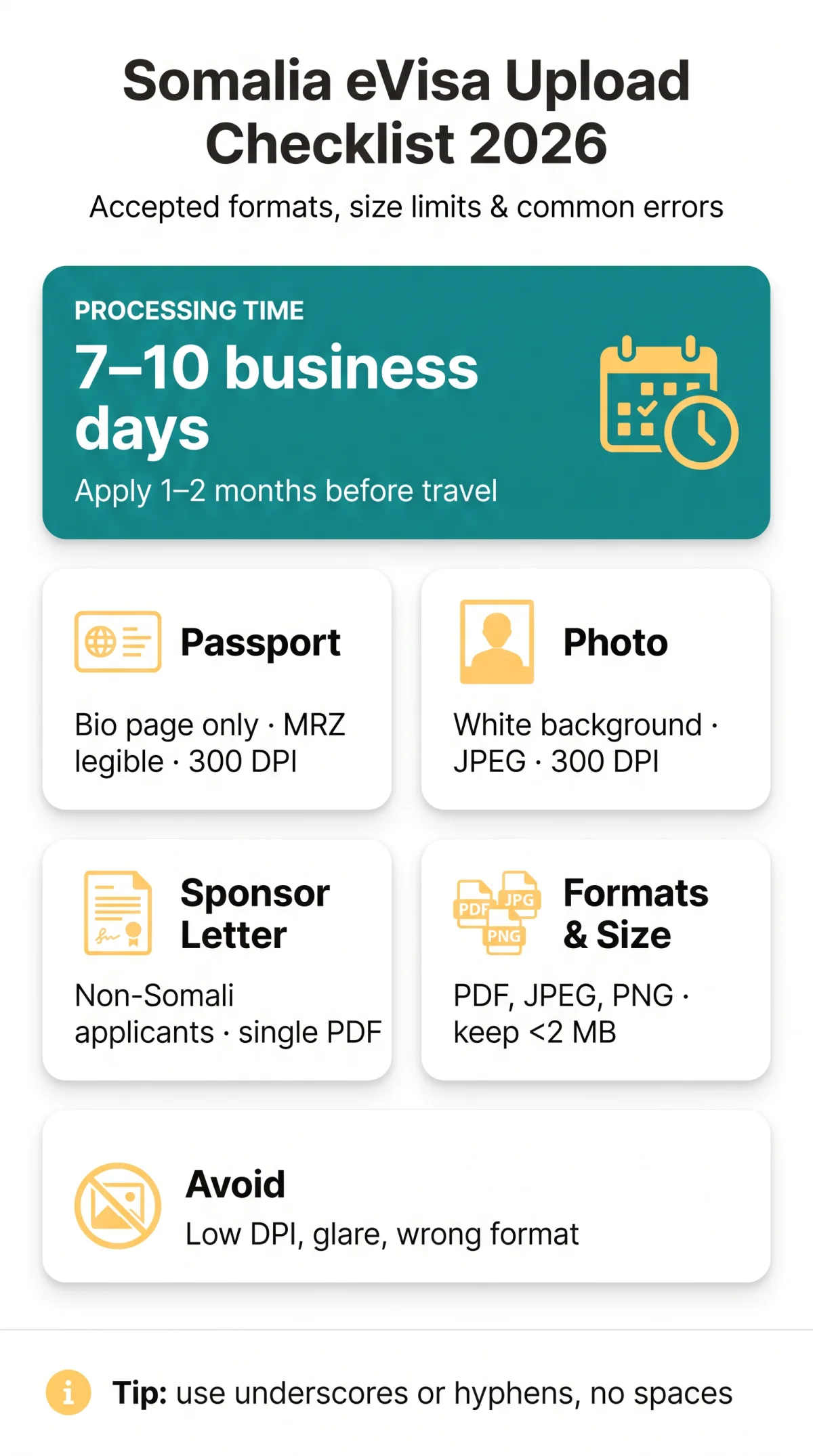
The Somalia eVisa document upload via the eTAS portal requires digital copies of your passport, photo, and supporting documents in PDF, JPEG, or PNG format under strict file size limits. Since 1 September 2025, the eTAS portal is mandatory for online visa submission, replacing paper-based consular processes, per the Embassy of Somalia in Washington DC. UK travellers must provide a valid passport bio page scan, a digital passport photo, and for non-Somali-origin applicants, a signed Sponsor Letter (Warqad Dammaan). Standard processing time is 7-10 business days; apply 1-2 months before travel. Following these specifications prevents rejection and processing delays.
Complete Checklist of Required Documents for Somalia eVisa Upload
A Somalia eVisa document upload requires up to seven files: passport bio page scan, digital photo, sponsor letter, flight itinerary, hotel booking, vaccination certificate, and bank statement. For a broader overview of what the eTAS system expects from applicants, see our guide to Somalia eTA supporting documents.
- Passport bio page scan – scan the information page only; passport must be valid for at least 6 months after arrival, signed, with a fully legible Machine Readable Zone (MRZ); minimum resolution 300 DPI.
- Digital passport photo – white background, face-forward, JPEG format.
- Sponsor Letter (Warqad Dammaanad) – required for non-Somali-origin applicants, including UK citizens; must be signed by a sponsor organisation selected from the list on the eTAS portal; upload as a single consolidated PDF. Diaspora travellers applying under the Adeeg Qurba-Joog category may be exempt.
- Travel itinerary / flight booking confirmation – e-ticket or booking printout.
- Accommodation confirmation – hotel booking email or confirmation page.
- Yellow fever vaccination certificate – required for some visitors; colour scan of the original certificate. Check TravelHealthPro’s Somalia guide via gov.uk to confirm if needed.
- Proof of funds / bank statement – recent statement, colour scan, uploaded when requested by the eTAS system.
Each Somalia eVisa document upload must satisfy the portal’s accepted file formats and per-file size limits before the system will accept the submission.
Passport Bio Page – What to Check Before Uploading
The passport bio page scan must display a fully readable Machine Readable Zone (MRZ) at minimum 300 DPI in PDF, JPEG, or PNG format for the Somalia eVisa document upload. Scan the information (bio) page only, not the cover or other pages. The passport must be valid and signed. The MRZ – the two-line code at the bottom of the bio page – must be fully legible with no glare, shadows, or fingers obscuring text. Ensure all four corners are visible. A 300 DPI colour JPEG of a single passport page typically weighs 200-500 KB. Common passport scan errors in the Somalia eVisa document upload process include low resolution (72 DPI), cut-off edges, glare on laminate, and blurry text. For full passport validity rules and data page details, read our Somalia eTA passport validity requirements guide.
Sponsor Letter (Warqad Dammaanad) – Who Needs It & How to Prepare
Non-Somali-origin applicants must upload a signed Sponsor Letter (Warqad Dammaanad, or Letter of Guarantee) from a Somali organisation as a single consolidated PDF for the Somalia eVisa document upload. This applies to all foreign nationals of non-Somali origin, including UK citizens. Diaspora travellers holding foreign passports (Adeeg Qurba-Joog category) may not require one. The letter must contain: full host details, full visitor details, purpose of visit, duration of visit, accommodation details, and financial guarantees. The sponsor organisation must be selected from the list on the eTAS portal. A separate Letter of Invitation from a place of work may also be required; non-presentation may result in refused entry, per gov.uk. For the Somalia eVisa document upload, submit the sponsor letter as a single consolidated PDF, not separate image files per page.
Accepted File Formats & File Size Limits for Somalia eVisa Upload in 2026
The Somalia eVisa document upload specifications accept only PDF, JPEG/JPG, and PNG file formats. TIFF, BMP, HEIC, WEBP, and DOC/DOCX files are automatically rejected by the eTAS portal.
| Document Type | Accepted Formats | Recommended | Notes |
|---|---|---|---|
| Passport bio page scan | PDF, JPEG/JPG, PNG | Colour scan at min. 300 DPI | |
| Digital passport photo | JPEG/JPG, PNG | JPEG/JPG | White background; face forward |
| Sponsor Letter (Warqad Dammaanad) | Single consolidated PDF | Multi-page letters in one file | |
| Flight itinerary / accommodation | PDF, JPEG/JPG, PNG | E-ticket or booking confirmation | |
| Vaccination certificate | PDF, JPEG/JPG, PNG | Colour scan of original | |
| Bank statement / proof of funds | PDF, JPEG/JPG, PNG | Recent statement; colour scan |
Scan at 300 DPI, keep files under 2 MB as a safe default, and compress with iLovePDF or TinyPNG to avoid rejection. The Somalia eVisa document upload system displays an error and prevents submission when a file exceeds the per-file limit.
Scan at 300 DPI
Scan your document in full colour at minimum 300 DPI resolution.
Compress the file
Use iLovePDF for PDFs or TinyPNG for images to reduce file size.
Re-save JPEG at 80%
If the file is still too large, re-save as JPEG at 80% quality.
A 300 DPI colour JPEG of a single passport page typically weighs 200-500 KB.
File naming conventions: use underscores or hyphens with no spaces or special characters. passport_scan_2026.jpg is accepted; My Passport (copy).jpg is not. If a supporting document is in a language other than English or Somali, a certified English translation must be uploaded together with the original as a single PDF for the Somalia eVisa document upload. Full-colour scans are recommended; high-contrast black-and-white copies may be accepted for the passport data page but are not recommended for photographs.
Digital Passport Photo Specifications for Somalia eVisa
A Somalia eVisa digital passport photo must meet ICAO standards: white background, face-forward neutral expression, JPEG format, minimum 300 DPI, and approximately 600×600 pixels. The Somalia eVisa document upload specifications require the photograph to be taken within the last 6 months and saved in JPEG/JPG format (PNG accepted as an alternative). For more detailed guidance, see our Somalia eTA photo and file guidelines.
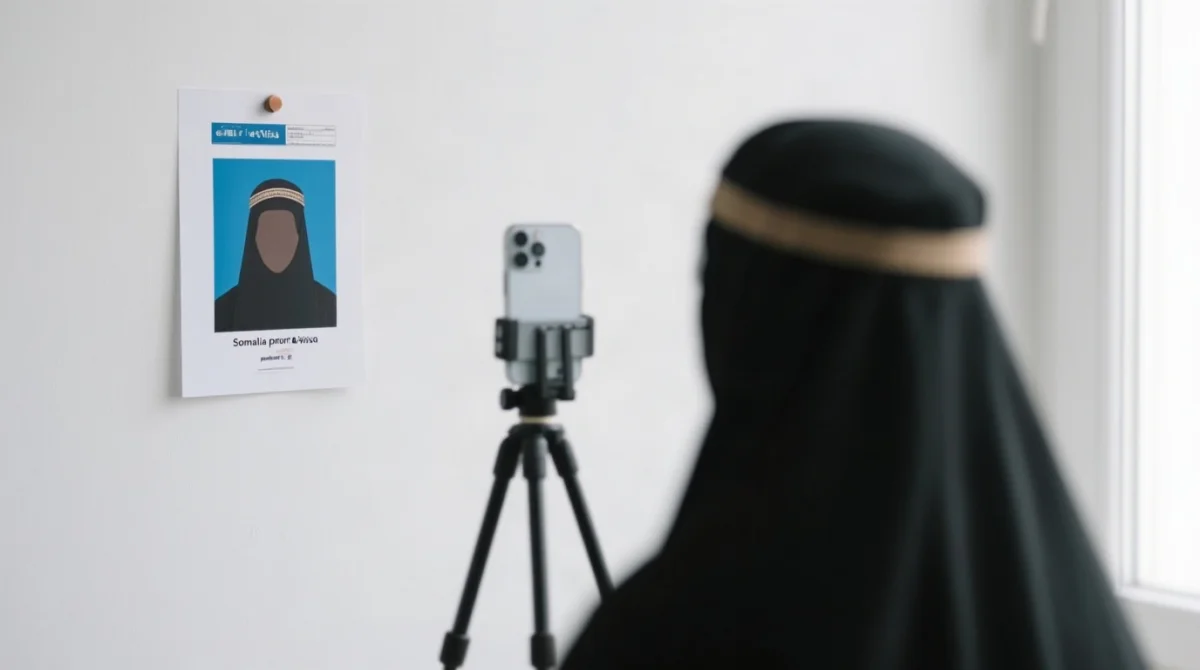
The background must be plain white with no shadows. The applicant must face directly forward with a neutral expression, both eyes open and mouth closed. Head coverings are permitted for religious reasons provided the face remains fully visible.
DIY tips for a compliant photo:
- Use a plain white wall as the backdrop
- Stand 1 metre away from the wall
- Ensure even lighting with no harsh shadows
- Use the highest quality setting on your smartphone camera
- Crop to passport-photo proportions
Common rejections in the Somalia eVisa document upload process: non-white background, tilted head, sunglasses, blur, over/underexposure, selfie distortion. Retake and resubmit in a compliant format before the application can proceed.
Common Somalia eVisa Document Upload Errors to Avoid
The most frequent Somalia eVisa document upload errors include wrong file format, exceeding the file size limit, unreadable MRZ on passport scans, and portal session timeouts. If you encounter broader platform issues, our eTAS portal troubleshooting guide covers payment failures, login problems and other technical faults.
| Error | Cause | Fix |
|---|---|---|
| “File type not supported” | Uploaded TIFF, HEIC, BMP, or other unsupported format | Convert to PDF, JPEG, or PNG using free tools such as iLovePDF or Preview |
| “File too large” | File exceeds the portal’s per-file size limit | Compress with TinyPNG (images) or iLovePDF (PDFs); re-save JPEG at 80% quality |
| Passport scan unreadable / MRZ not detected | Resolution below 300 DPI, glare, shadows, or cropped edges | Re-scan in colour at 300 DPI minimum; avoid flash; ensure all four corners are visible |
| Photo rejected: background not white | Photo taken against coloured or patterned wall | Retake against a plain white wall or use a passport photo app with background replacement |
| “Session timed out” / “Verification required” | Portal session expired (eTAS uses Cloudflare security); unstable connection | Clear browser cache, re-login, re-upload files immediately; use a stable internet connection |
| “Corrupted file” / “File cannot be read” | File damaged during transfer or incompatible encoding | Re-export from the original scan; save as a different accepted format; test locally before uploading |
| Upload button greyed out / no response | Browser incompatibility or ad-blocker interference | Switch to Chrome or Firefox; disable ad-blockers; clear cookies; try incognito mode |
| Document pages missing / incomplete upload | Multi-page document uploaded as single page image | Merge all pages into one PDF before uploading (use iLovePDF “Merge PDF” tool) |
If the portal rejects a document, applicants may need to re-upload corrected files. The eTAS portal does not always allow editing after initial submission; if a full resubmission is needed, start a new application session. Note: ongoing data breach (home addresses compromised, per gov.uk). Monitor updates from the Federal Government of Somalia. If concerned, consider redacting non-essential details from scans and using a VPN during the Somalia eVisa document upload process.
FAQ
How to upload documents for an eVisa?
Gather your passport bio page, digital photo, and supporting documents. Scan at 300 DPI, save as PDF or JPEG under 2 MB, and attach them to the eTAS portal during step 2 of the application. Ensure all files are legible and correctly named before starting your session.
Can I still upload documents after submitting a visa application?
The eTAS portal does not always allow editing after initial submission. If a document is rejected, you may need to start a new application session and complete the Somalia eVisa document upload process again. Verify all files meet the specifications before submitting.
Can I apply for an eVisa for Somalia online?
Yes, since 1 September 2025, the eTAS portal is mandatory for online visa submission, replacing paper-based consular processes. Complete the digital form, upload required documents, pay the applicable fee, and await approval by email. Standard processing time is 7-10 business days.
Can I self-upload my documents to the VFS?
You self-upload directly to the eTAS portal, not VFS. Ensure your files meet the accepted formats (PDF, JPEG, PNG) and size limits before starting your session. The eTAS system handles the entire digital file submission procedure for the Somalia eVisa.
What file size limit for Somalia eVisa passport upload?
Verify the exact limit on the eTAS portal; standard eVisa systems typically cap files at 2-5 MB. Keep your passport scan under 2 MB to avoid rejection. A 300 DPI colour JPEG of a single passport page typically weighs 200-500 KB.
Somalia eVisa blurry passport scan rejected what to do?
Re-scan your passport bio page at minimum 300 DPI in full colour. Ensure all four corners are visible, avoid flash glare, and check that the MRZ is fully legible before re-uploading. Low resolution, shadows, and cropped edges are common causes of rejection.
Somalia eVisa vaccination certificate yellow fever upload?
If required for your itinerary, scan your yellow fever vaccination certificate in colour. Save as PDF or JPEG, ensure it is under the size limit, and upload with your supporting documents. Check TravelHealthPro’s Somalia guide via gov.uk to confirm if needed.
How do I name my files for Somalia eVisa document upload?
Avoid spaces, accents, and special characters. Use underscores or hyphens and keep names short. Use passport_scan_2026.jpg or sponsor_letter.pdf instead of names with spaces or non-Latin characters. Correct naming prevents processing errors on the eTAS portal.